How to Create XP786 Game Account & Login
Are you ready to explore XP786APK.pk Game, one of the top Android gaming portals in Pakistan? Before you can participate in multiplayer card games, complete challenges, or earn real cash rewards, you need to create a verified personal account.
Setting up an account secures your account balance, saves your game achievements, and guarantees smooth withdrawals. In this guide, we will cover the entire registration process, OTP verification, login steps, and troubleshooting tips.
Register and login xp786 game account step by step Guide:
XP786 Registration & Account Overview (بنیادی معلومات)
| Feature | Requirement / Specification |
| App Type | Android Gaming Portal (APK) |
| Registration Methods | Phone Number (OTP) / Email Address |
| Supported Region | Pakistan (+92) & Worldwide |
| Minimum Age | 18 Years or older |
| Account Cost | 100% Free Registration |
Why Should You Register an Account on XP786? (اکاؤنٹ بنانے کے فائدے)
While XP786 allows you to test out games using a “Play as Guest” mode, creating a full account is necessary for long-term play:
- Unlocks Real Cash Withdrawals: Guest accounts cannot bind JazzCash or EasyPaisa numbers.
- Data & Game Progress Protection: Switching phones won’t cause you to lose your coins or points.
- Access to Referral Rewards: Invite friends and earn passive commission bonuses.
- Account Security: 2FA and OTP verification keep unauthorized users away from your earnings.
How to Register an XP786 Account (Step-by-Step) (رجسٹریشن کے مراحل)
Follow these simple steps to set up your profile in under 2 minutes:
Step 1: Download and Open the Official APK
First, download the latest version of XP786 APK from our authentic portal (XP786APK.pk). Install the application on your Android smartphone and open it.
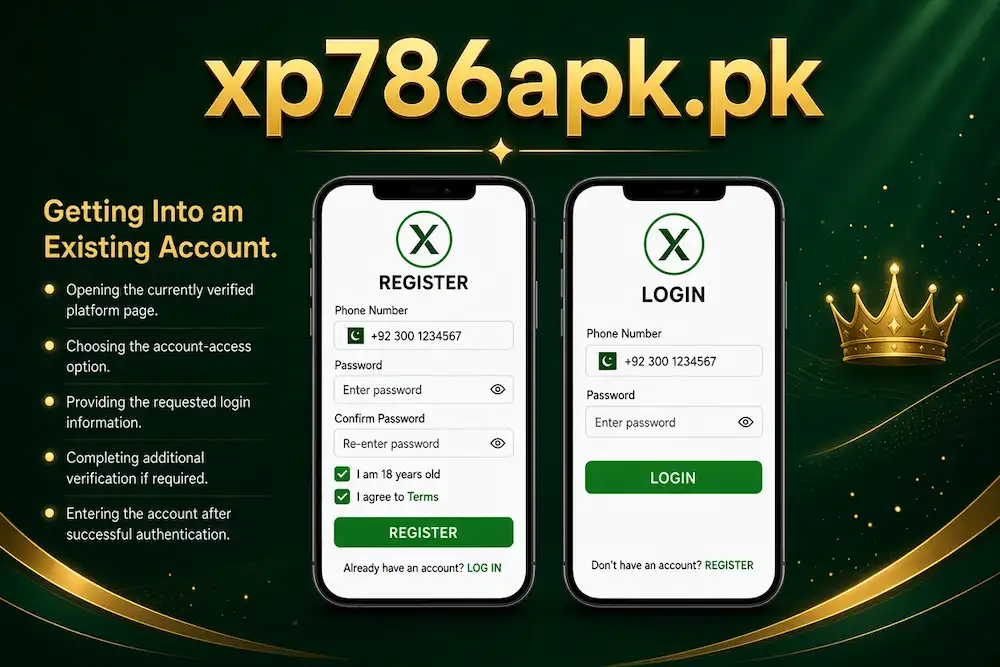
Step 2: Select the “Register” Button
On the main splash screen, you will see two options: Play as Guest and Register / Sign Up. Click on “Register” to open the registration form.
Step 3: Enter Your Contact Details
Fill in your active credentials:
- Phone Number: Enter your active Pakistani mobile number starting with
03xx...(required to receive your verification code). - Email Address: Provide a valid email address for security recovery.
Step 4: Verify Your Account via OTP Code
Click on the “Send OTP” or “Get Code” button.
- You will receive a 4 to 6 digit One-Time Password via SMS or Email.
- Type the code into the verification box before the timer expires.
Step 5: Set a Strong Password
Create a secure password to protect your wallet and account. A strong password should include:
- At least 8 characters
- A mix of uppercase and lowercase letters (
A-Z,a-z) - Numbers (
0-9) - Special characters (
@,#,$,%)
Step 6: Submit and Complete Registration
Tap the “Confirm” or “Submit” button. Your new XP786 profile is now fully active!
How to Login to XP786 Game (لاگ ان کرنے کا طریقہ)
Once registered, logging back into your account on any compatible device is quick and straightforward:
- Launch the XP786 App on your device.
- Tap the “Login“ button on the home screen.
- Enter your registered Mobile Phone Number (or Username) and Password.
- Click “Log In” to access your dashboard, games, and cash wallet.
How to Fix Common XP786 Login & Registration Issues (مسائل کا حل)
| Issue | Cause | Easy Solution |
| OTP Code Not Received | Network signal issue or SMS blocked | Click “Resend OTP” after 60 seconds, or register using your Email instead. |
| Forgot Password | Lost credentials | Click “Forgot Password” on login screen, enter your phone number, and reset via OTP. |
| App Not Opening / Crash | Outdated APK version or cache issue | Clear app cache in Android Settings or download the latest APK from XP786APK.pk. |
| Account Locked | Multiple wrong password attempts | Wait 30 minutes before trying again or reach out to in-app customer support. |
Frequently Asked Questions (FAQs)
Is account registration mandatory on XP786?
Yes, while you can explore games using guest mode, full registration is required to deposit funds, save progress, and withdraw earnings.
Can I play XP786 Game without registering?
Yes, you can use the “Play as Guest” option for demo practice, but real cash features and reward withdrawals will be disabled.
What should I do if I forget my XP786 password?
Click the “Forgot Password” link on the login screen. Enter your registered phone number to receive a reset OTP code and create a new password.
Can I change my linked mobile number later?
Mobile numbers are tied to account security and wallet processing. To change a registered number, you must contact XP786 customer support for identity verification.